Ratings, business pages
1. Utilize Google My Business (GMB). Create or claim your GMB page and ensure the information is correct. “This is something that is going to become way more important over the next year or so,” said Matt Horn, director of
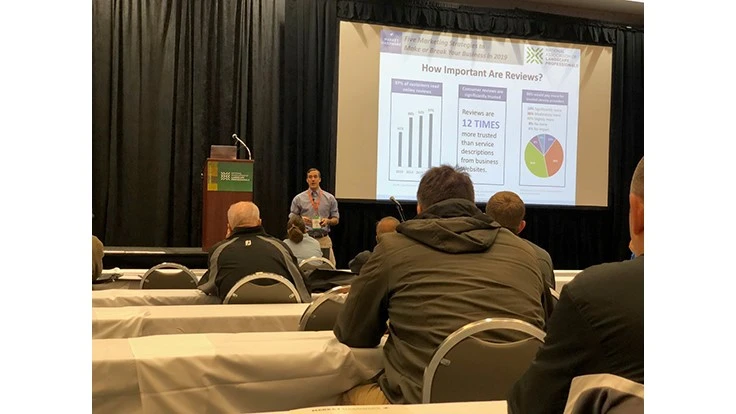
“97 percent of customers read online reviews in 2018,” said Alain Parcan, director of education for Market Hardware. “They want to go online and see who has hired you and what they thought.”
Negative reviews will happen, and it’s important to respond to them directly as the owner. “We don’t want to go in and respond emotionally,” Horn said. “You can include some facts, but you shouldn’t go at the person. If someone else sees that it might deter them.” However, it’s not worth going back through old reviews and replying to those negative ones. In order to get more reviews, direct an employee to always ask happy customers to leave a review.
New to the GMB page is a Q&A section. Anyone with a google account can ask a question about the company. Conversely, anyone with a Google account can answer. “It’s something you’ll need to keep an eye on,” Horn said. “If you respond as the owner, your response will show up at the top of the answers.” Google also created a way for businesses to create posts on a GMB page.
2. Make your website mobile and SSL ready. “Google rolled out mobile-first indexing,” Horn said. This means Google is prioritizing mobile-ready sites. In order to ensure your site is easy to use on a smartphone, Horn recommends taking a look at your site on your phone and observing how easy it is to navigate. Ask yourself if you can read the text without zooming in.
Creating a responsive website means that your site is built to adapt to whatever screen size is displaying it, and also responds to screen rotation.
It’s also important to ensure your website is secure by getting it SSL certified. Certification may come at a cost, but some providers offer it for free. The average cost is about $100 a year. “If you haven’t done this, you should talk to your IT person and tell them you need to get this installed,” Parcan said. He also said if you get an offer to have the SSL installed for several hundred dollars, it’s probably not a legitimate offer.
More and more browsers are also starting to warn user before they access an
3. Become a top brand with display ads. Technology has advanced and you can have it set up to show ads to people who haven’t visited your website yet. When a user looks up certain keywords related to your business, it can be set up to show them your ads. Parcan recommends selecting more than 100 keywords.
“Everything should be connected…your image, brand, colors
4. Check your speed. Another new Google feature, the Speed Update, shows how long it takes your website to load on a phone or a desktop. This leads to Google’s mobile-first indexing and slower pages will be penalized.
To improve your websites load speed, Parcan recommends limiting banner images to three photos or less and optimizing images. He said the photos don’t need to be very high-resolution for
Google offers a tool to users so that they can check their load speed on both mobile and desktop, as well as offer a few tips on how to improve the speed.
5. Understand local service ads. Google introduced a pay-per-lead advertising model and it’s expanding into the lawn care market. When a user is searching for a service on Google, there are three boxes that appear above the results. The boxes contain information from GMB pages.
“The businesses that apply for this early will get a head start,” Parcan said. “Some background checks go into it and right now they are free but might not always be.”
The industry category is currently only listed as lawn care, but Parcan said Google may expand that into landscaping.
Latest from Lawn & Landscape
- Develon unveils -9 Series heavy excavators
- News you might've missed last week
- Lifescape Colorado's Hupf moves to regional role as Ostheimer becomes president
- Your most reliable predictor of success
- LandCare names McCallon, Miller as branch managers
- Takeuchi-US names Paul Wade, Eric Wenzel as dealer development managers
- CASE continues partnership with country artist Jon Pardi
- Greenlee debuts new battery-powered remote pruner